

extraction
Document extraction, without the heavy platform
Frenchie keeps extraction intentionally small: read the file, return Markdown, let the agent do the reasoning.
"Document intelligence" is a big promise.
It usually means classification, summarization, entity extraction, routing, schemas, confidence scores, validation, human review, storage, and a dashboard full of nouns. Sometimes you need that. A bank processing millions of forms probably does.
Most agent workflows do not.
Most agent workflows need a smaller thing: read this file and give the agent clean Markdown.
The reasoning layer already exists
Your agent already has the model. It can summarize, compare, classify, extract fields, draft follow-ups, and write code. The missing piece is often not reasoning. The missing piece is file access.
That is why Frenchie keeps extraction narrow.
Frenchie does not decide what the document means. It does not turn every file into a proprietary schema. It does not store your files for a search product later.
It reads the file and returns Markdown.
Then your agent does the work you asked for.
What changed with extract_to_markdown
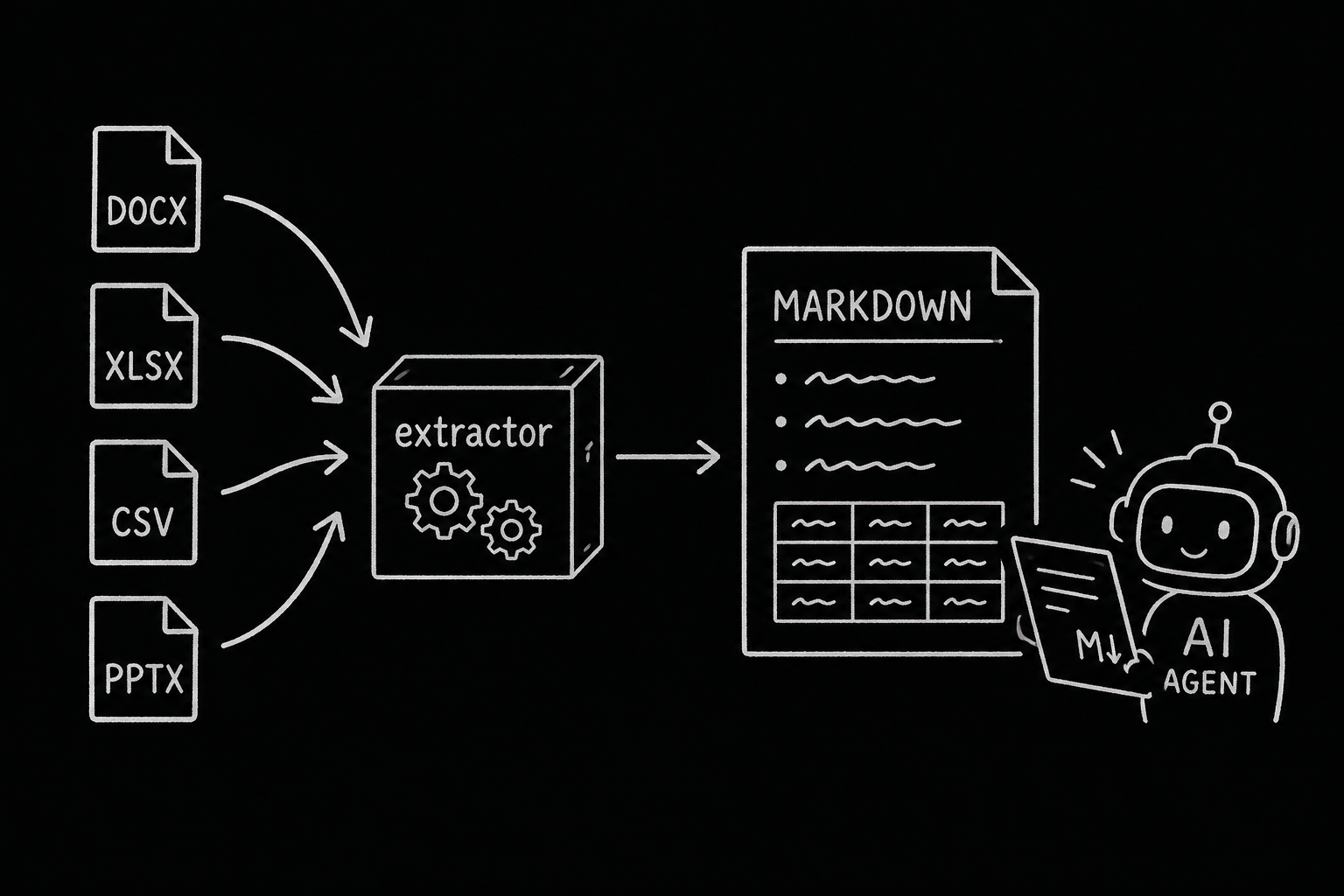
Frenchie already handled PDFs/images through OCR and audio/video through transcription. extract_to_markdown adds the Office and spreadsheet files that show up in project work:
- DOCX
- XLSX
- CSV
- TSV
- PPTX
The workflow is the same as the rest of Frenchie: MCP-first, skill pack installed with the tools, stdio by default, HTTP for hosted agents, short-lived results, no long-term file storage.
Install once:
npx @lab94/frenchie install --api-key fr_...
Ask:
Extract ./handoff/customer-files.xlsx to Markdown with Frenchie.
The result lands where your agent can read it:
.frenchie/customer-files/result.md
Why Markdown
Markdown is boring in the best way.
Agents can read it. Humans can inspect it. Git can diff it. You can save it, grep it, attach it, or feed it into the next step without a special viewer.
For Office/spreadsheet files, Markdown gives enough structure for the agent to work:
- DOCX headings, lists, tables, links
- XLSX sheets as sections with tables
- CSV/TSV rows as Markdown tables
- PPTX slides as ordered sections
That is not the same as a full document intelligence platform. It is deliberately smaller.
The clean boundary
Frenchie's job:
- Accept the file.
- Validate the shape.
- Estimate credits.
- Extract Markdown.
- Save or return the result.
- Delete the source file.
Your agent's job:
- Read the Markdown.
- Apply your prompt.
- Produce the answer, report, script, email, checklist, or decision memo.
That boundary keeps the product easier to trust. It also keeps the copy honest. Frenchie is not magic. It is your agent's file utility.
Sometimes that is exactly the missing piece.