

how it works
Inside Frenchie: from scanned PDF to clean Markdown in 3 seconds
What happens between dropping a scanned contract into your agent and getting back searchable Markdown with tables and figures intact. The OCR pipeline.
Drop a scanned PDF into your agent. Three seconds later you get back clean Markdown with table structure preserved and figures extracted as separate files. It feels a little like magic the first time.
It's not magic. It's five stages, each one solving a specific problem that the previous one leaves behind. Here's what actually happens between the file landing and the Markdown coming back.
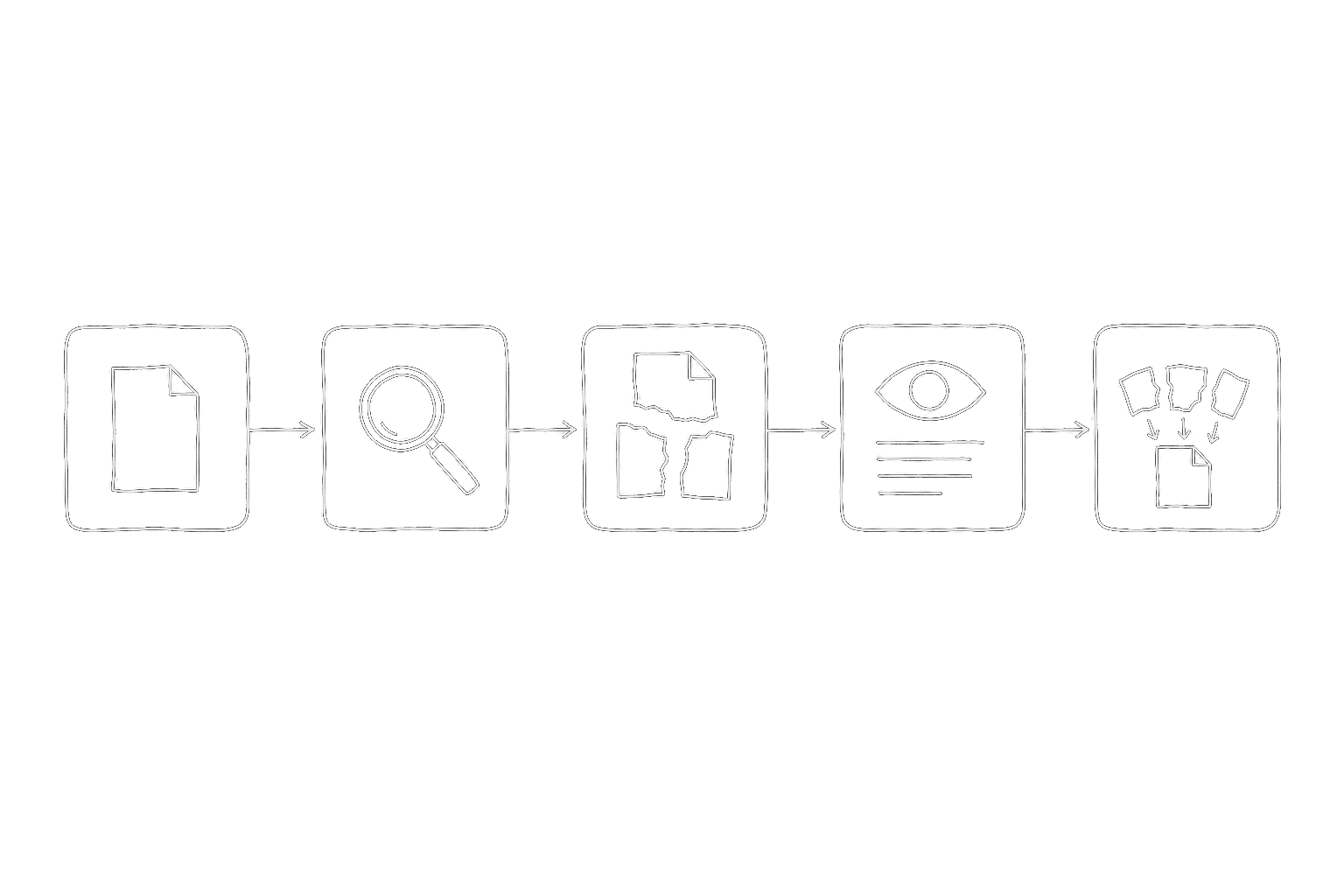
Stage 1 — Intake and validation
The first thing Frenchie does when your agent calls ocr_to_markdown is check the file.
That sounds boring, but validation is where most OCR pipelines quietly fail. A "PDF" might actually be a password-protected archive, a corrupted file someone exported from a broken system in 2011, a PDF/A-3 with embedded binary attachments, or just a JPEG someone renamed with .pdf. Every one of these breaks the stages that come later if you don't catch them up front.
Frenchie inspects the actual file bytes, not the extension. It checks MIME type, validates the PDF header if it claims to be PDF, rejects files over 2 GB, and estimates credit cost before any processing starts. If the file is clearly broken, the job fails fast with a useful error — not a vague "extraction failed" three minutes later.
This stage takes milliseconds. Most files pass. The ones that don't save you from a failed job downstream.
Stage 2 — Page separation and routing
PDFs are weird. A single PDF can contain pages that are native text (crisp, selectable, already Unicode-encoded) and pages that are scanned images (pixel data that needs OCR). You can't treat them identically — running OCR on native text pages throws away perfect data, and trying to extract text from image-only pages returns empty strings.
Frenchie separates pages by type. Native text pages go through a fast path: extract the text, preserve the layout hints PDF already provides, ship the result. Image-based pages go through the heavier OCR path in the next stage.
For a typical 30-page legal contract — scanned at some point, re-saved a dozen times — every page ends up on the OCR path. For a conference paper exported clean from LaTeX, every page ends up on the text path and the whole job finishes in under a second. Most real documents are mixed, and the router handles that transparently.
Stage 3 — Optical character recognition
The pages that need OCR go through the actual recognition step. This is where the pixel data becomes characters.
Frenchie handles the stuff that makes OCR hard:
- Multiple languages on the same page. Thai in a header, English in the body, a code block in monospace. No language flag, no manual mode selection — the pipeline detects script boundaries and handles each region with the right recognizer.
- Mixed orientation. Pages scanned sideways, upside down, or at a slight angle. Rotation and skew correction happen before recognition.
- Structured layouts. Two-column papers, tabular invoices, forms with labeled fields. The recognizer keeps track of where text belongs spatially, not just what the characters are.
- Handwriting. Not perfect on cursive, but usable on neat block letters. Anything above about 75% confidence comes through; anything lower gets flagged rather than silently mistranscribed.
The output of this stage is text plus positional metadata — which characters came from which region of which page. That metadata matters for the next stage.
Stage 4 — Structure reconstruction
OCR gives you text, but it doesn't give you a document. A table full of numbers that came through as an OCR blob is less useful than a Markdown table. A figure caption that got stitched into the paragraph above it is misleading. This is where Frenchie turns recognized text into a document structure.
Three things happen here:
- Tables. Cells get matched to rows and columns using the positional metadata from OCR. Column alignment, cell content, merged cells — all preserved as Markdown tables your agent can read row-by-row.
- Figures. Images embedded in the document (charts, diagrams, photos) get extracted as separate PNG files and referenced inline in the Markdown:
. Your agent gets text it can read and figures it can cite by filename. - Hierarchy. Headings, section numbering, paragraph breaks, footnotes — all reconstructed from font-size hints and spatial layout. The result reads like a document, not a wall of plain text.
The Markdown that comes out of this stage is what your agent actually sees. Everything before was preparation.
Stage 5 — Delivery
The final stage is how the output reaches your agent. Over stdio MCP, the tool response is metadata only — the file path where the Markdown was saved, word count, image count, credits used. Your agent reads the file when it needs the content. Over HTTP MCP, the full Markdown can be inlined in the response, which works for smaller documents but we recommend the file-reference pattern for anything substantial.
Results expire 30 minutes after first delivery. If your agent needs the Markdown permanently, it saves it to your workspace before the TTL hits. We don't archive your files, we don't keep your results.
Why three seconds
The "3 seconds" number isn't universal — a 400-page scanned thesis takes longer. But for the document shape that matters most (10-30 pages, mixed scan and native text), the pipeline targets sub-5-second end-to-end. That's the latency budget that keeps the tool feeling live inside an agent conversation.
Most of the speed comes from three places: parallelizing page-level work across the whole document, skipping OCR entirely on native-text pages, and returning metadata instead of dumping full Markdown into the tool-call response. None of them are exotic. They're the obvious engineering choices once you decide latency matters.
What this looks like from your side
None of the five stages are visible when you're using Frenchie. Your agent calls one tool (ocr_to_markdown), waits a few seconds, and picks up the result. The pipeline details only matter when something goes wrong — which is why the validation stage exists, and why our troubleshooting page leads with symptom-first fixes.
If you want to see the whole pipeline in action on a real document of yours, sign up for 100 free credits and throw a scanned PDF at it. The first one is on us.